Element Tab
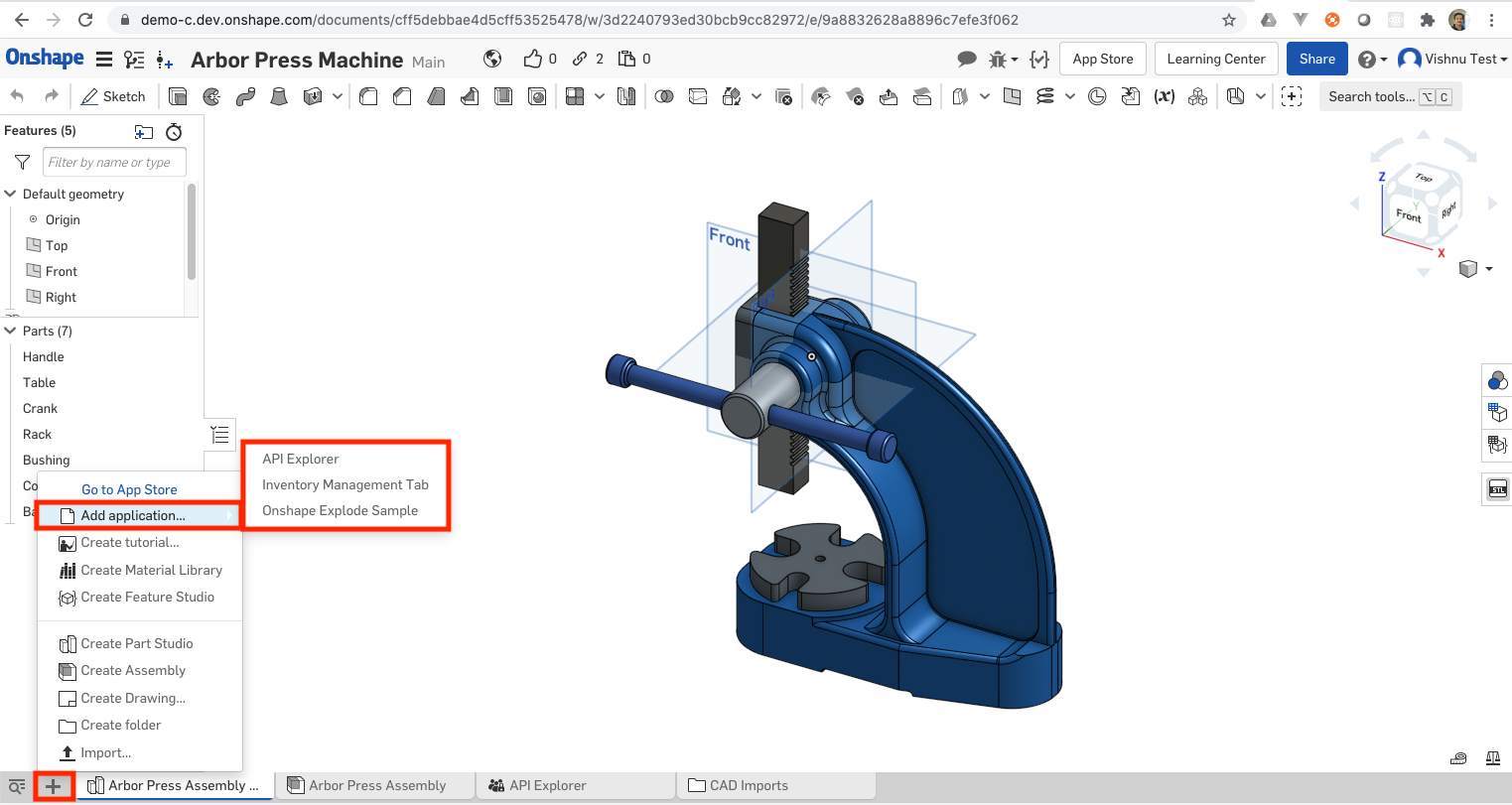
Messages may be sent and received by element tab application extensions. This is the menu option for + menu -> Add application inside a document . After menu click, a new tab will be created with the action url associated with this extension.
Supported messages
The following messages can be sent by Element tab application extensions:
| Message name (case sensitive) | Additional properties | Notes |
applicationInit | notifyWhenSaveRequired: Whether Onshape should send a notification to save pending changes during certain operations. (default: false) | Send once on application startup. |
closeFlyoutsAndMenus | Send when a mouse click or other event happens in the application extension. Closes Onshape flyouts and dropdown menus. | |
closeSelectItemDialog | Closes the select item dialog. | |
connectionLost | Displays the standard Onshape connection lost message in a message bubble, forcing the user to either reload the document or return to the documents page. | |
errorReload | message: your message | Similar to the connectionLost message, but enables an application to specify the first part of the message, which will be used instead of "Onshape is not connected." The user must reload the document or return to the documents page. |
finishedSaving | messageId: the id sent in the corresponding saveChanges message | Response to a saveChanges message sent from Onshape. Should be sent after application has cleaned up any pending edits. |
keepAlive | Send periodically while while the user is actively working to avoid the session from timing out. | |
saveAVersion | Send when the user types Shift-S in the application extension, the keyboard shortcut for save a version. | |
showKeyboardShortcutsHelp | Send when the user types ? (Shift-? on most keyboards) in the application extension, the keyboard shortcut for the keyboard shortcuts help dialog. | |
showMessageBubble | message: your message | Send when you want to show a string in the message bubble at the top of the Onshape app. |
startLoadingSpinner | message: your message | Send to start a large spinner in the middle of the browser window with your message underneath it. |
stopLoadingSpinner | Send to stop the large spinner. | |
startWorkingSpinner | Send to start a small spinner in the middle bottom of the browser window. | |
stopWorkingSpinner | Send to stop the small spinner. | |
openSelectItemDialog |
| Send when your application wants to open a dialog in which the user will select one or multiple items - blobs, parts, part studios or assemblies. |
requestCameraProperties | graphicsElementId: string, element ID of the part studio or assembly | Send to request camera properties of a specific part studio or assembly element. Note: The element should have been opened at least once in the current session. The messageName of the response is cameraProperties. |
Received messages
The following messages can be received by Element tab application extensions:
| Message name (case sensitive) | Additional properties | Notes |
show | Sent when an element tab application extension is shown (made active) within the Onshape client. This message is NOT sent when the element tab application extension is created. | |
hide | Sent when an element tab application extension is made inactive within the Onshape client. This message is NOT sent when an element tab application extension is deleted. | |
itemSelectedInSelectItemDialog |
| Sent when the user selects an item (blob, part, part studio or assembly) in the select item dialog that was opened due to an openSelectItemDialog message sent earlier. When a part is not selected, the partXxx message properties will be empty strings. |
print | Sent when the user chooses the Print command while the application is the active element. The application can choose to handle this as either a print or an export to a PDF or other format. | |
selectItemDialogClosed | Sent when the select item dialog closes, either because the user selected an item and selectMultiple is false, or the user changed the active element or the user closed the dialog with the "X" button. | |
startFirstViewCommand |
| Sent to a drawings application extension when the drawing is created with zero views. |
export |
| Sent when the user chooses a command to export the contents of the application to a file. |
cameraProperties |
| Sent when application posts a requestCameraProperties message |
takeFocus | Sent when the Onshape client sets focus on the content window of the element tab application extension. | |
saveChanges | messageId: a unique identifier for this message. Should be passed back in the finishedSaving message. | Sent if the application specified notifyWhenSaveRequired in the applicationInit message. Indicates that the application should cleanup any pending edits before an Onshape process continues (i.e. version save). |
Security considerations
All Security Considerations apply to all Onshape extensions, with the following notes:
- Initial message from the application extension to the Onshape client, in the form of an
applicationInitmessage (or one of any other messages supported by the element right panel extensions), is required to ensure the Onshape client does not send messages to the extension until it is ready. - Once a valid
applicationInitmessage is received by the Onshape client, it will start sending messages with themessageNamevalueSELECTIONupon user selection interactions. - Prior to accepting any message from the Onshape client as secure, the
originattribute value included in incoming messages must be validated as equal to the originalserverquery parameter value used to load the application extension.