Element Tab
Element tab extensions live in their own element (tab) within a document, without needing to be opened within a Part Studio or assembly. Users can add the extension to their Onshape documents by clicking the Insert new tab button on the Onshape toolbar and selecting Applications. The element tab extension appears on the list. When selected, the extension’s Action URL is opened in a new tab in the document. The new tab has its own elementId in the Onshape URL.
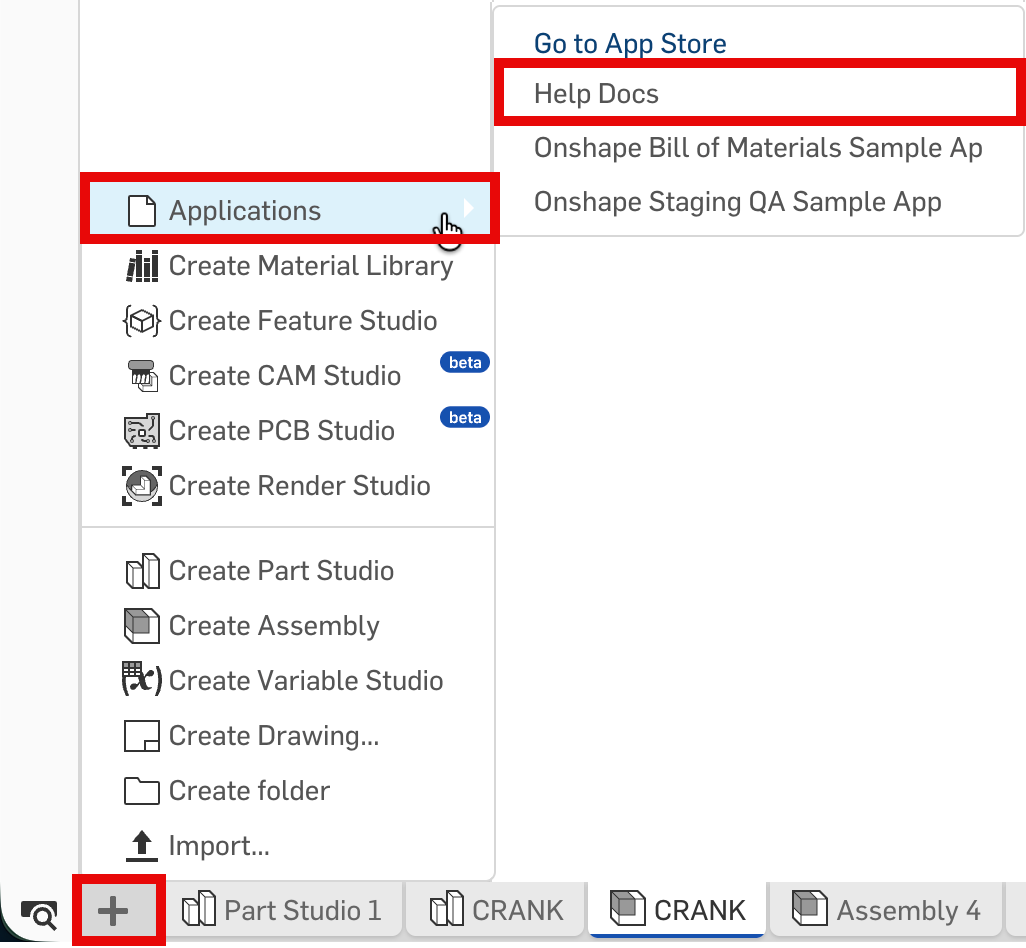
Available element tab extensions on the Insert new tab > Applications menu
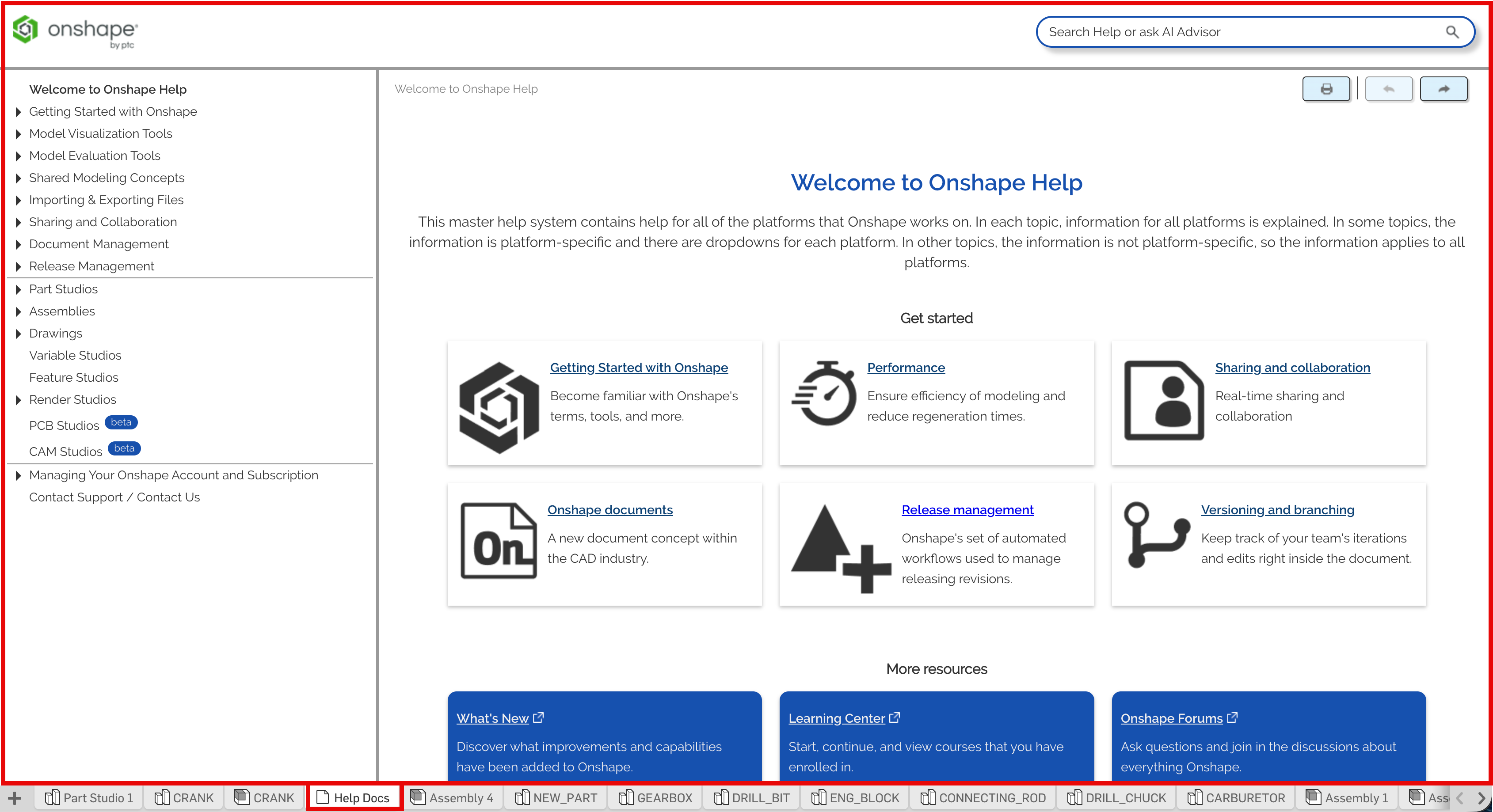
Extension open in its own element tab
Supported messages
The following messages can be sent to Onshape by element tab extensions:
applicationInit
Send once on application startup.
message = {
    documentId: documentId,
    workspaceId: workspaceId,
    elementId: elementId,
    messageName: 'applicationInit',
    notifyWhenSaveRequired?: false
}
Notes
- Optionally set
notifyWhenSaveRequired=trueto requestsaveChangesnotifications when the extension should save its state.
showMessageBubble
Display a string in the blue message bubble at the top of the extension.
message = {
    documentId: documentId,
    workspaceId: workspaceId,
    elementId: elementId,
    messageName: 'showMessageBubble',
    message: 'This is a message.'
}
closeFlyoutsAndMenus
Closes Onshape flyouts and dropdown menus.
message = {
    documentId: documentId,
    workspaceId: workspaceId,
    elementId: elementId,
    messageName: 'closeFlyoutsAndMenus'
}
openSelectItemDialog
Opens a dialog in which the user can select one or more blobs, parts, Part Studios or assemblies.
message = {
    documentId: documentId,
    workspaceId: workspaceId,
    elementId: elementId,
    messageName: 'openSelectItemDialog',
    dialogTitle?: '',
    selectAssemblies?: false,
    selectBlobs?: false,
    selectBlobMimeTypes?: '',
    selectMultiple?: false,
    selectParts?: false,
    selectPartStudios?: false,
    showBrowseDocuments?: true,
    showStandardContent?: false
}
Notes
- Selection booleans default to
false; set totrueto include the specified item type in the dialog. - The default
dialogTitleis an empty string (''). selectBlobMimeTypesis a comma-delimited string of blob mime types to show in the dialog (e.g.'application/dwt,application/dwg'). Defaults to an empty string ('').- Set
showBrowseDocuments=falseto hide theOther documentschoice in the dialog. - Set
showStandardContent=trueto allow the user to select Standard Content options.
See also:
closeSelectItemDialog
Closes the Select Item dialog.
message = {
    documentId: documentId,
    workspaceId: workspaceId,
    elementId: elementId,
    messageName: 'closeSelectItemDialog'
}
See also:
connectionLost
Displays Onshape is not connected in a message bubble. Forces the user to reload the document or return to the documents page.
message = {
    documentId: documentId,
    workspaceId: workspaceId,
    elementId: elementId,
    messageName: 'connectionLost'
}
errorReload
Similar to the connectionLost message, but allows you to replace the Onshape is not connected string with custom text. The user must reload the document or return to the documents page.
message = {
    documentId: documentId,
    workspaceId: workspaceId,
    elementId: elementId,
    messageName: 'errorReload',
    message: 'Your connection lost message.'
}
finishedSaving
Response to a saveChanges message sent from Onshape. Should be sent after application has cleaned up any pending edits.
message = {
    documentId: documentId,
    workspaceId: workspaceId,
    elementId: elementId,
    messageName: 'finishedSaving',
    messageId: string
}
Notes
messageId- ID in the correspondingsaveChangesmessage from Onshape.
keepAlive
Sends periodically while the user is actively working to avoid the session from timing out.
message = {
    documentId: documentId,
    workspaceId: workspaceId,
    elementId: elementId,
    messageName: 'keepAlive'
}
saveAVersion
Opens the Create a Version dialog when the user types shift-S.
message = {
    documentId: documentId,
    workspaceId: workspaceId,
    elementId: elementId,
    messageName: 'saveAVersion'
}
showKeyboardShortcutsHelp
Displays the Keyboard Shortcuts Help dialog when the user types ? (shift-? on most keyboards).
message = {
    documentId: documentId,
    workspaceId: workspaceId,
    elementId: elementId,
    messageName: 'showKeyboardShortcutsHelp'
}
requestCameraProperties
Request the camera properties of a specific Part Studio or assembly.
The graphics element (tab) must have been opened at least once in the current session.
message = {
    documentId: documentId,
    workspaceId: workspaceId,
    elementId: elementId,
    messageName: 'requestCameraProperties',
    graphicsElementId: graphicsElementId
}
Notes
elementId- ID of the element (tab) that hosts the applicationgraphicsElementId- ID of the element (tab) that hosts the camera
The messageName of the response is cameraProperties.
Received messages
The following messages can be received by element tab extensions:
show
Sent when the element tab extension is shown (made visible) by the user. This message is NOT sent when the element tab extension is created.
{
  messageName: 'show'
}
hide
Sent when the element tab extension is hidden (made not visible) by the user. This message is NOT sent when the element tab extension is deleted.
{
  messageName: 'hide'
}
itemSelectedInSelectItemDialog
Sent when an item (blob, part, Part Studio, or assembly) is selected by the user in the Select item dialog.
{
  messageName: 'itemSelectedInSelectItemDialog',
  documentId: string,
  documentMicroversionId: string,
  workspaceId: string, // sends workspaceId OR versionId
  versionId: string,  // sends workspaceId OR versionId
  elementId: string,
  elementName: string,
  elementType: string,
  elementMicroversionId: string,
  elementConfiguration: string,
  itemType: string,
  partName?: string,
  idTag?: string,
  includeSurfaces?: boolean,
  includeWires?: boolean,
  isSurface?: boolean,
  isFlattenedBody?: boolean,
  isComposite?: boolean,
  isSketch?: boolean,
  sketchIds?: string[],
  partNumber?: string, // only returned if a part is selected
  revision?: string,
  context?: string,
  isConfigurable?: boolean
}
See also:
Sent when the user chooses the Print command while the element tab extension is active. The application can choose to handle this as a print or as an export to a PDF.
{
  messageName: 'print',
  baseFileName: string // name of the file when exporting
}
selectItemDialogClosed
Sent when the Select item dialog closes. Occurs when one of the following happens:
- User selected an item and
selectMultiple=false - User changed the active element tab.
- User closed the dialog with the X button.
{
  messageName: 'selectItemDialogClosed',
  context?: string
}
See also:
startFirstViewCommand
Sent to a drawings application extension when the drawing is created with zero views.
For this example, we call the part, Part Studio, or assembly being drawn the item.
{
  messageName: 'startFirstViewCommand',
  documentId: documentId, // document containing the item
  workspaceId: workspaceId, // sends workspaceId OR versionId of the item
  versionId: versionId, // sends workspaceId OR versionId of the item
  elementId: elementId, // ID of the element containing the item
  elementName: elementName, // name of the element containing the item
  elementType: 'partStudio | assembly | blob', // type of element containing the item
  elementMicroversionId: microversionId, // microversion ID of the element containing the item
  itemType: 'part | partStudio | assembly', // the item being drawn
  partName: partName, // if item is a part, the name of the part
  idTag: partId // if item is a part, the part ID
}
export
Sent when the user chooses a command to export the contents of the application to a file.
{
  messageName: 'export',
  fileExtension: '.dwg' | '.dxf', // file extension the user chose for the export,
  baseFileName: string  // expected output file name
                        // e.g., "documentName - elementName"
}
cameraProperties
Sent when application posts a requestCameraProperties message.
{
    messageName: 'cameraProperties',
    graphicsElementId: graphicsElementId, // ID of the element (tab) that hosts the camera
    isValid: boolean, // `true` if properties are valid; `false` if graphicsElementId is invalid
                      // or element has not been open in the current session
    projectionType: 'orthographic | perspective', // empty string returned if `isValid=false`
    viewMatrix: [1,0,0,0,0,1,0,0,0,0,1,0,0,0,0,1],  // 16 element numeric matrix with elements
                                                    // at index 13, 14, 15 corresponding to
                                                    // camera position
    projectionMatrix: [1,0,0,0,0,1,0,0,0,0,1,0,0,0,0,1],  // 16 element numeric matrix with
                                                          // elements at index 13, 14, 15
                                                          // corresponding to camera position
    verticalFieldOfView: number, // 0 if `projectionType=orthographic`
    viewportHeight: number,
    viewportWidth: number
}
takeFocus
Sent when the Onshape client sets focus on the content window of the element tab application extension.
{
  messageName: 'takeFocus'
}
saveChanges
Sent if the application specified notifyWhenSaveRequired in the applicationInit message. Indicates that the application should cleanup any pending edits before an Onshape process continues (e.g., version save).
{
  messageName: 'saveChanges',
  messageId: string, // unique identifier for the message
}
Notes
messageIdshould be passed back in thefinishedSavingmessage.
Security considerations
The extension security considerations apply to all Onshape extensions. Additionally:
- An initial
applicationInitmessage must be sent from the application extension to the Onshape client to ensure Onshape does not send messages to the extension until it is ready. - Once a valid
applicationInitmessage is received by the Onshape client, it starts sending messages withmessageName=SELECTIONupon user selection interactions. - Prior to accepting any message from the Onshape client as secure, the
originattribute value included in incoming messages must be validated as equal to the originalserverquery parameter value used to load the application extension.